
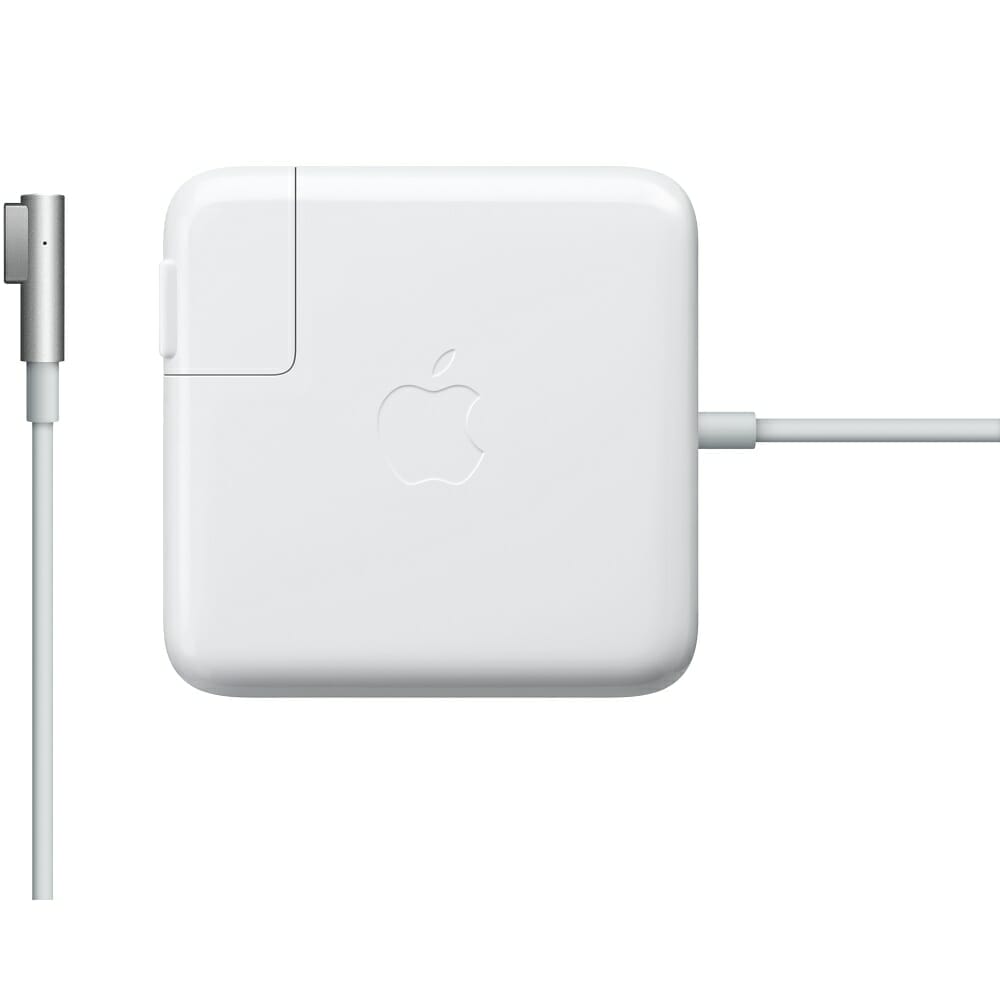
Apple MagSafe Power Adapter
$ 80.53
Apple MagSafe Power Adapter
The Watt MagSafe Power Adapter Features a magnetic DC connector that ensures your power cable will disconnect if it experiences undue strain and helps prevent fraying or weakening of the cables over time. Product Information Overview The Watt MagSafe Power Adapter for MacBook Air features a magnetic DC connector that ensures your power cable will disconnect if it experiences undue strain, and helps prevent fraying or weakening of the cables over time. In addition, the magnetic DC helps guide the plug into the system for a quick and secure connection. When the connection is secure, an LED located at the head of the DC connector will light up; an amber light lets you know that your portable is charging, while a green light tells you that you have a full charge. An AC lead is provided with the adapter for maximum lead length, while the AC wall adapter (also provided) gives users an even easier and more compact way to travel. Redesigned specifically for MacBook Air, the adapter is the perfect travelling companion. It has a clever design that allows the DC cable to be wound neatly around itself for easy cable storage. This power adapter recharges the lithium polymer battery while the system is off, on, or in sleep mode. It also powers the system if you choose to operate without a battery. Compatible only with MacBook Air with MagSafe Power Port – 45W Compatible with 13”, 15” or 17” MacBook / MacBook Pro – 60W / 85W Not sure if this is the right power adapter for your Mac? See this article for more details about choosing the right one. Knowing which specific Mac model you have is important. If you are running OS X Lion (10.7) or later, go to the “” menu at the top left of your screen, choose “About this Mac” then click the “More Info…” button. Your Mac model and generation will be displayed. If you are running an earlier version of OS X, you can enter your serial number here to find out which model you have. 0/5 (0 Reviews)
Related products
-
Sale!
 Select options
This product has multiple variants. The options may be chosen on the product page
Select options
This product has multiple variants. The options may be chosen on the product page
-
Sale!
 Select options
This product has multiple variants. The options may be chosen on the product page
Select options
This product has multiple variants. The options may be chosen on the product page
-
Sale!
 Select options
This product has multiple variants. The options may be chosen on the product page
Select options
This product has multiple variants. The options may be chosen on the product page
-
Sale!Select options
This product has multiple variants. The options may be chosen on the product page